GreenRope Blog

Title search:

New Blog Headers (1920 x 1080 px).png


We’ve wrapped up the year with several thoughtful updates designed to make GreenRope more flexible, more visual, and easier to use day-to-day. 

These are just a few highlights of what’s new. For a more extensive view, and to keep up to date, visit our public wiki page for recent updates located here. 

Here’s a quick look:


Smarter Journeys with Date-Based Decisions


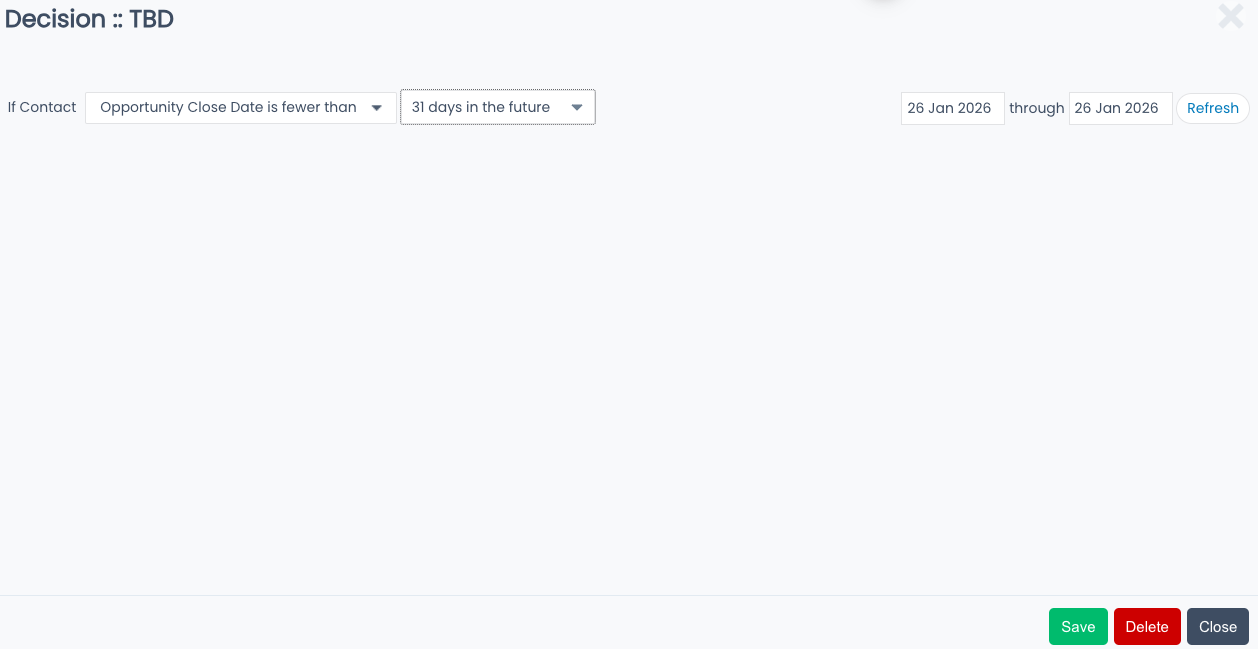
Journeys now include a new Decision operator that evaluates as true or false based on how an opportunity close date compares to today’s date. This gives you more control when automating follow-ups and branching logic around time-sensitive opportunities. (Released Dec 29, 2025)

New Decision Operator.png
Now, users can check if an opportunity's closed date is fewer than any number of days


More Control When Viewing Journey Progress


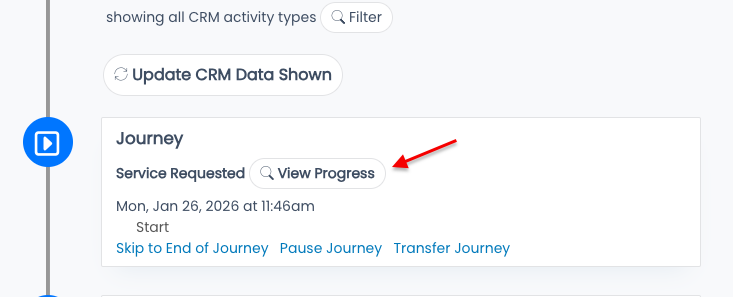
When viewing a contact’s journey progress from the CRM panel, the View Progress button now opens a dialog that allows you to set the contact’s exact location within the journey. This makes managing contacts in automation much more efficient. (Released Dec 29, 2025)

Journey View Progress.png
Click on the "View Progress" button to check the progress of a contact on any journey.


Screen Shot 2026-01-26 at 11.47.11 AM.png
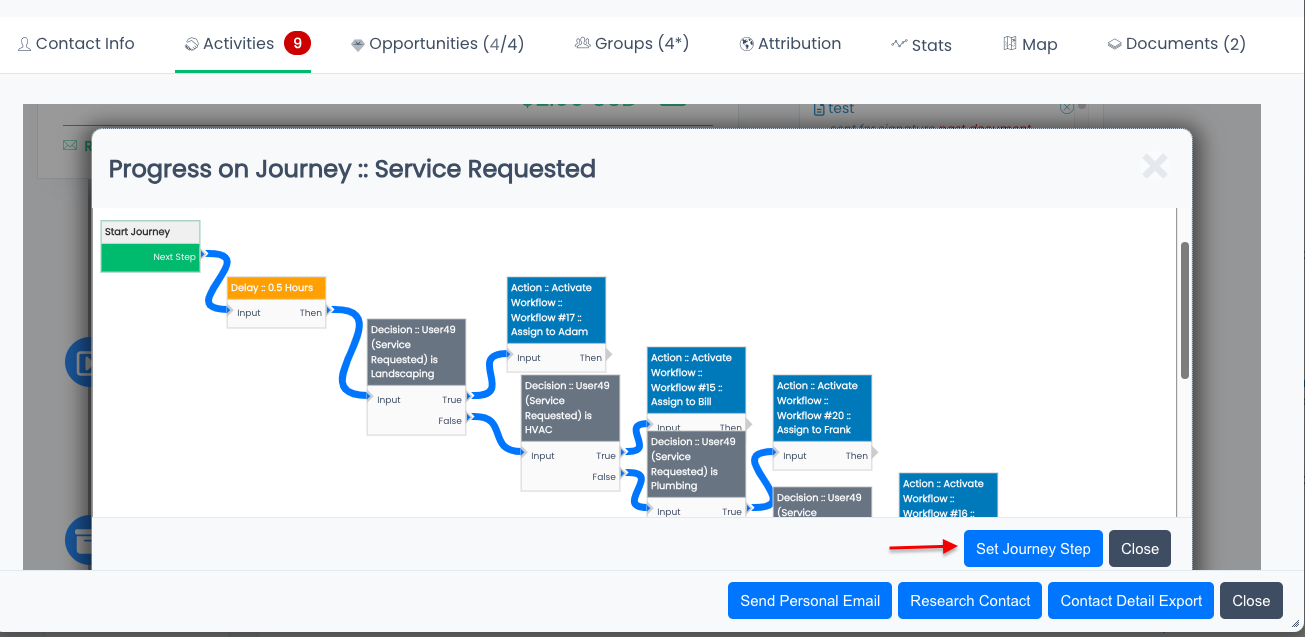
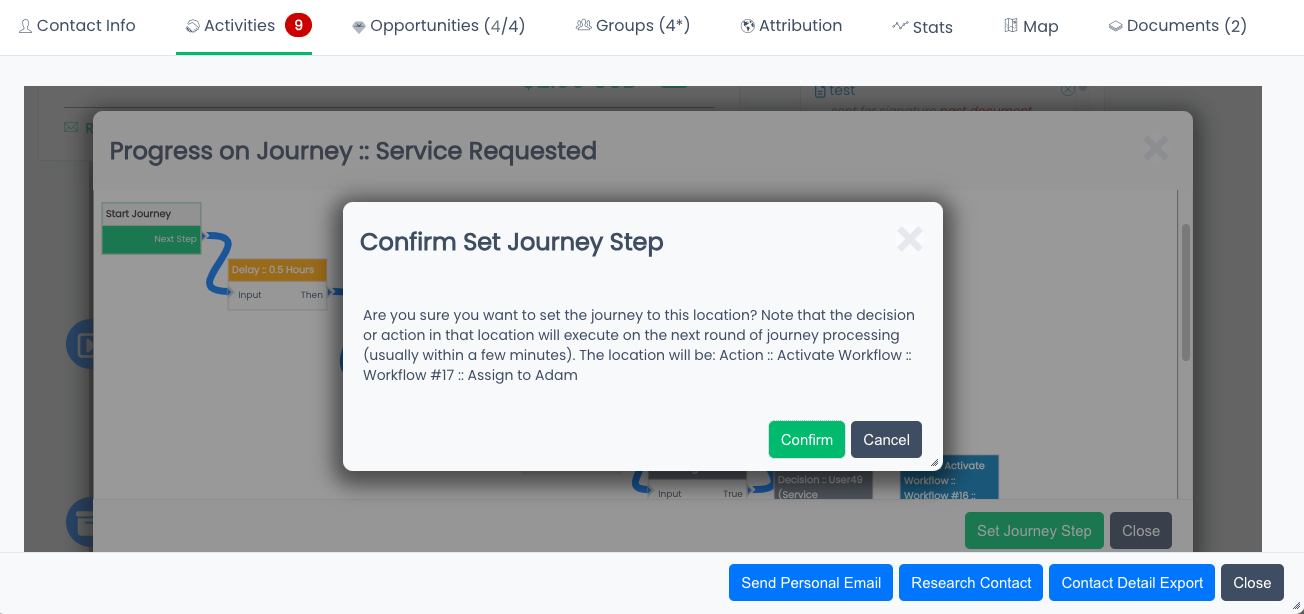
In order to modify where the contact is at on the journey, you must FIRST click the "Set Journey Step" button


Set Journey Step.png
Select the step you'd like to move the contact to, and click "confirm" to finalize the change.


Improved Accessibility on Public Wiki Pages


Public Wiki pages now include an accessibility widget in the bottom left corner, helping visitors adjust the page to better meet their needs and ensuring a more inclusive experience. Users can alter text size, line spacing, provide high contrast visibility, and more. (Released Dec 22, 2025)

Wiki accessibility BEFORE.png
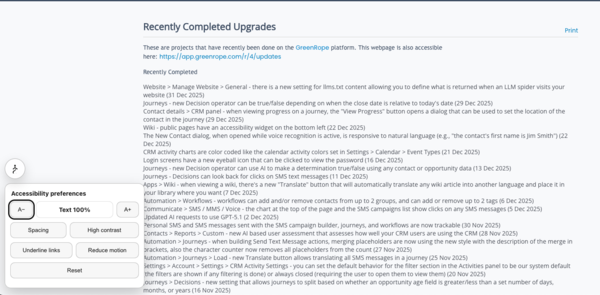
In the bottom left corner, there is now an accessibility widget that can be clicked and opened.


Wiki accessibility AFTER.png
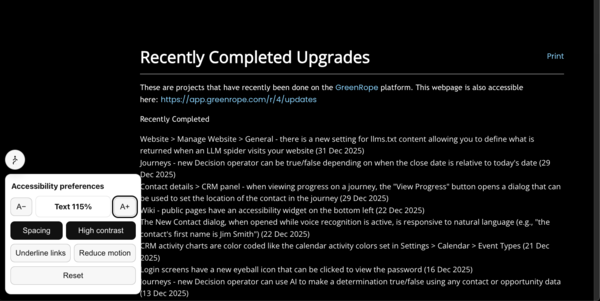
Shown above, the text has been increased by 15%, high contrast has been set, and line spacing increased. 


Color-Coded CRM Activity Charts


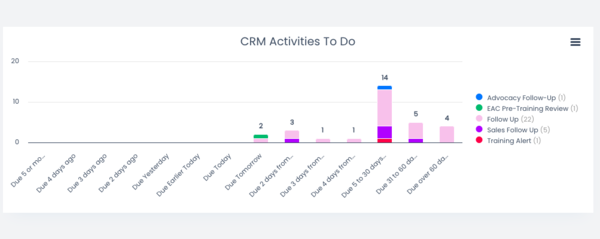
CRM activity charts are now color-coded to match the calendar activity colors defined in Settings > Calendar > Event Types. This makes it easier to visually interpret activity data at a glance. (Released Dec 21, 2025)

Screen Shot 2026-01-26 at 2.09.08 PM.png
CRM activities are color coded, making visualizing your tasks that much easier.


As always, these updates are part of our ongoing effort to make GreenRope more powerful, intuitive, and accessible. Your feedback is important to us, and helps us improve the system for users across the board!
 

Share: https://www.greenrope.com/blog/Blog1008/Recent-GreenRope-Updates-You-ll-Love

Share Category "Monthly Updates":
https://www.greenrope.com/blog/BlogCategory21/Monthly-Updates

Modern Postcard